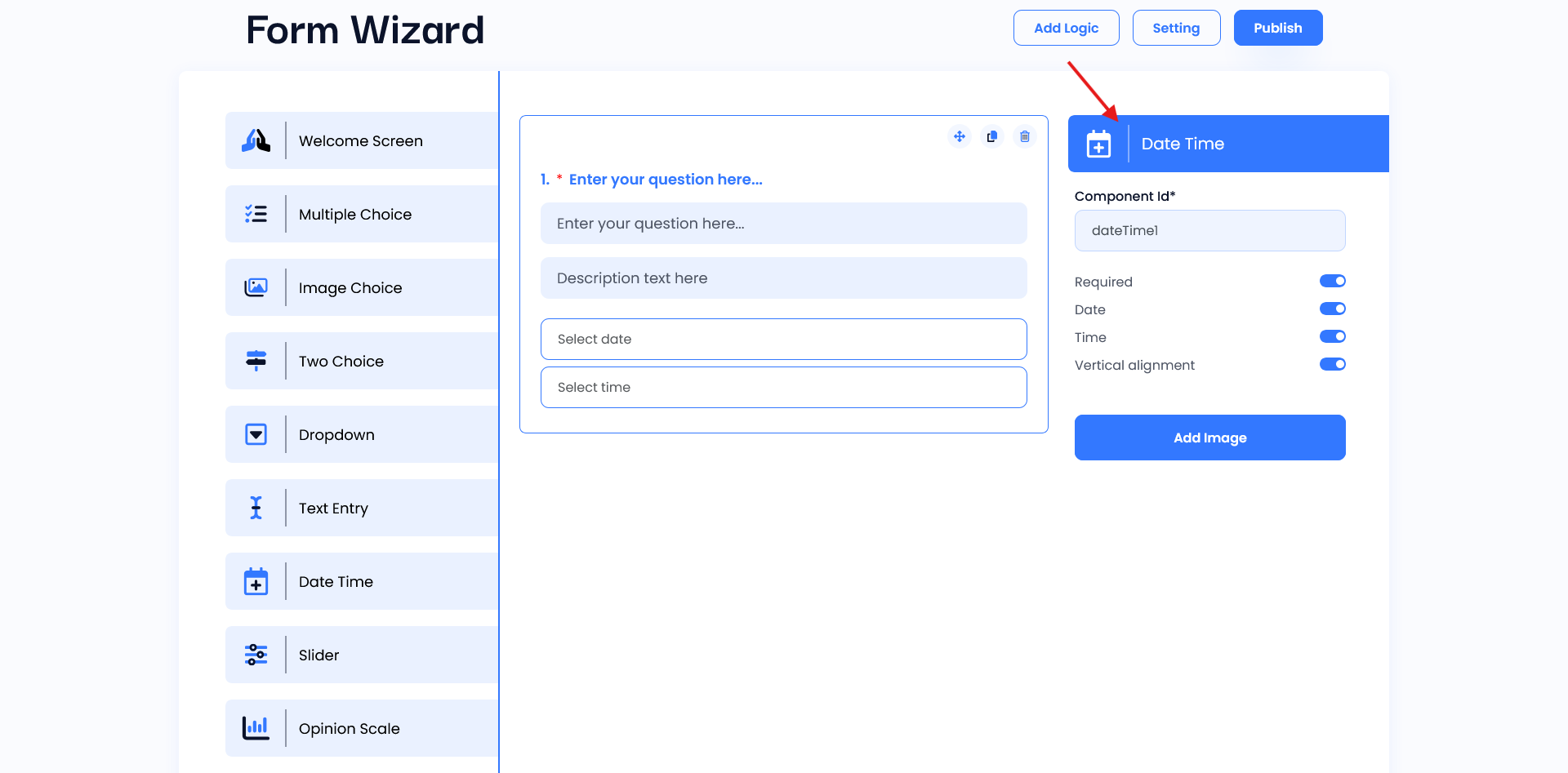
Date Time
This widget provides a live preview of the Date-Time widget. It allows users to see changes in real time as they configure it. This interactive area helps ensure the widget’s appearance, and functionality. Users can ask questions using the question field and also describe. In this widget, the user can select a date and time.
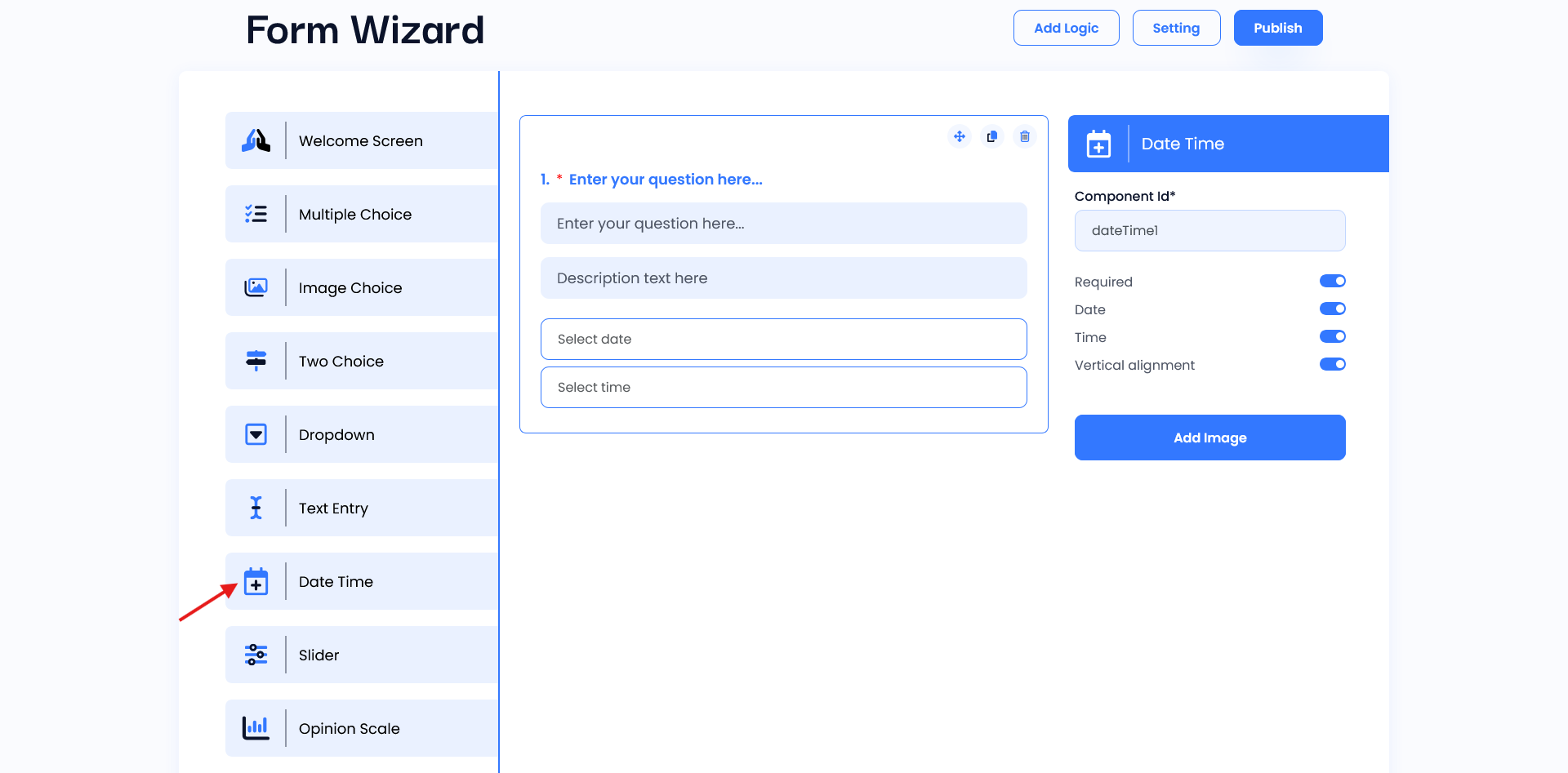
Setting
- Component ID: The unique identifier (e.g.,
dateTime1) makes it easy for developers to reference this widget in code, allowing them to retrieve and manipulate the date and time data as needed. - Required Toggle: When enabled, this ensures that users must select a date and/or time before submitting the form. This is useful for cases where date and time inputs are mandatory, such as setting appointments or deadlines.
- Date and Time Toggles: These toggles allow you to enable either date, time, or both. This flexibility is helpful when only one of the two inputs is required.
- Vertical Alignment: This option adjusts the layout of the widget, aligning the date and time inputs vertically when enabled.
- Add Image Button: This feature likely allows users to attach an image along with their date and time selection, which could be useful in cases where additional visual context is required.