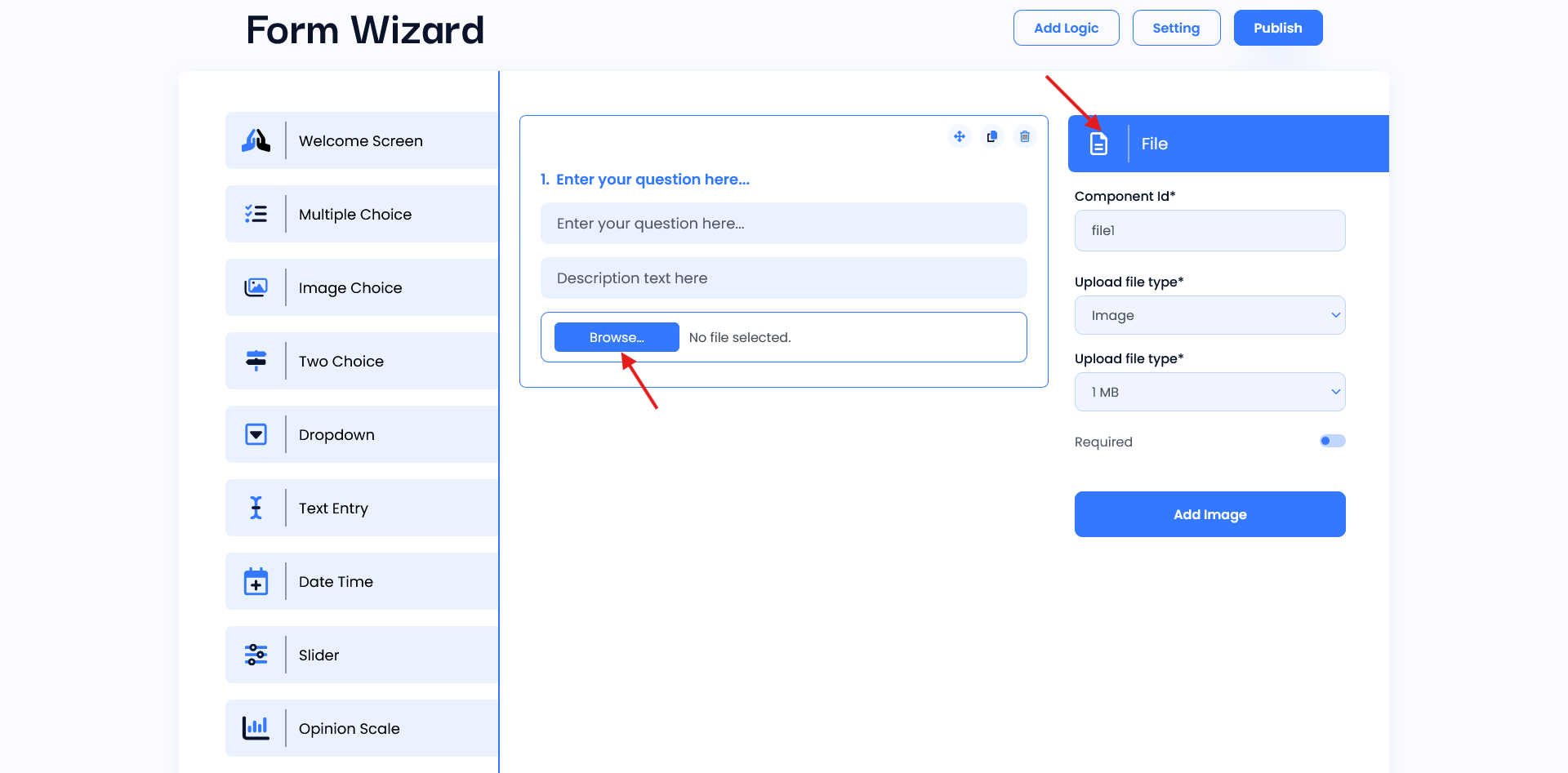
File Input
The file Input component is used for file upload question interface and is designed to guide respondents in providing the correct file type and size as part of their survey response. It includes a question field where survey creators specify the file request (e.g., “Upload your ID”), along with a description field for additional instructions, such as format or size limits. The “Choose file” button opens a file browser, allowing users to select the required file. Once selected, the file name may display as confirmation, ensuring respondents can verify their choice before submission.
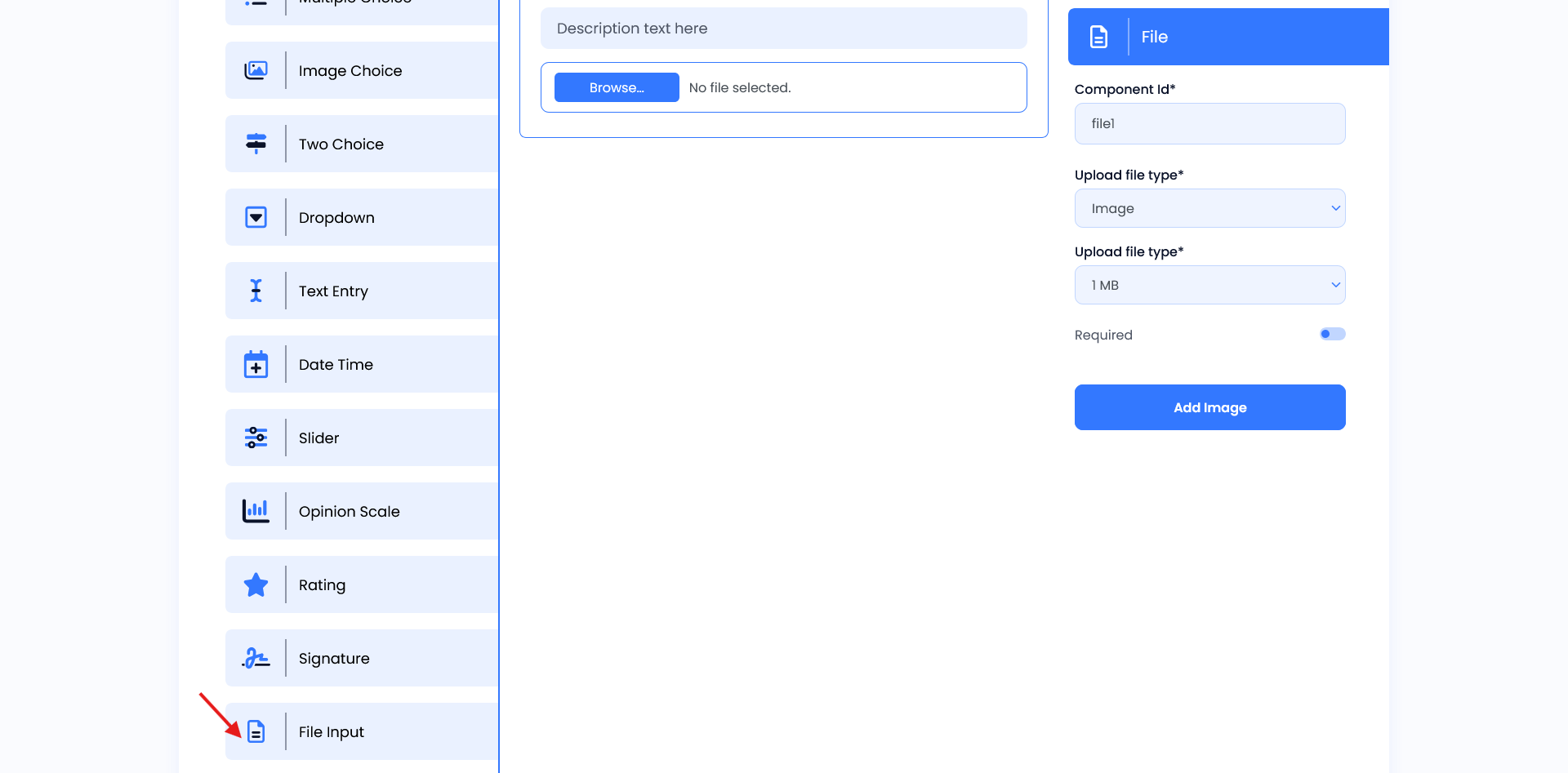
Setting
- Component ID: A unique identifier for the file upload field, used for tracking and organizing responses.
- Upload File Type: Specifies the type of file allowed, such as an image, audio, video and any based on requirements.
- File Size Limit: Sets the maximum file size (e.g., 1 MB) to ensure efficient data handling.
- Required Toggle: Determines whether the file upload is mandatory for submission.
- Add Image: Option to attach an image relevant to the file.